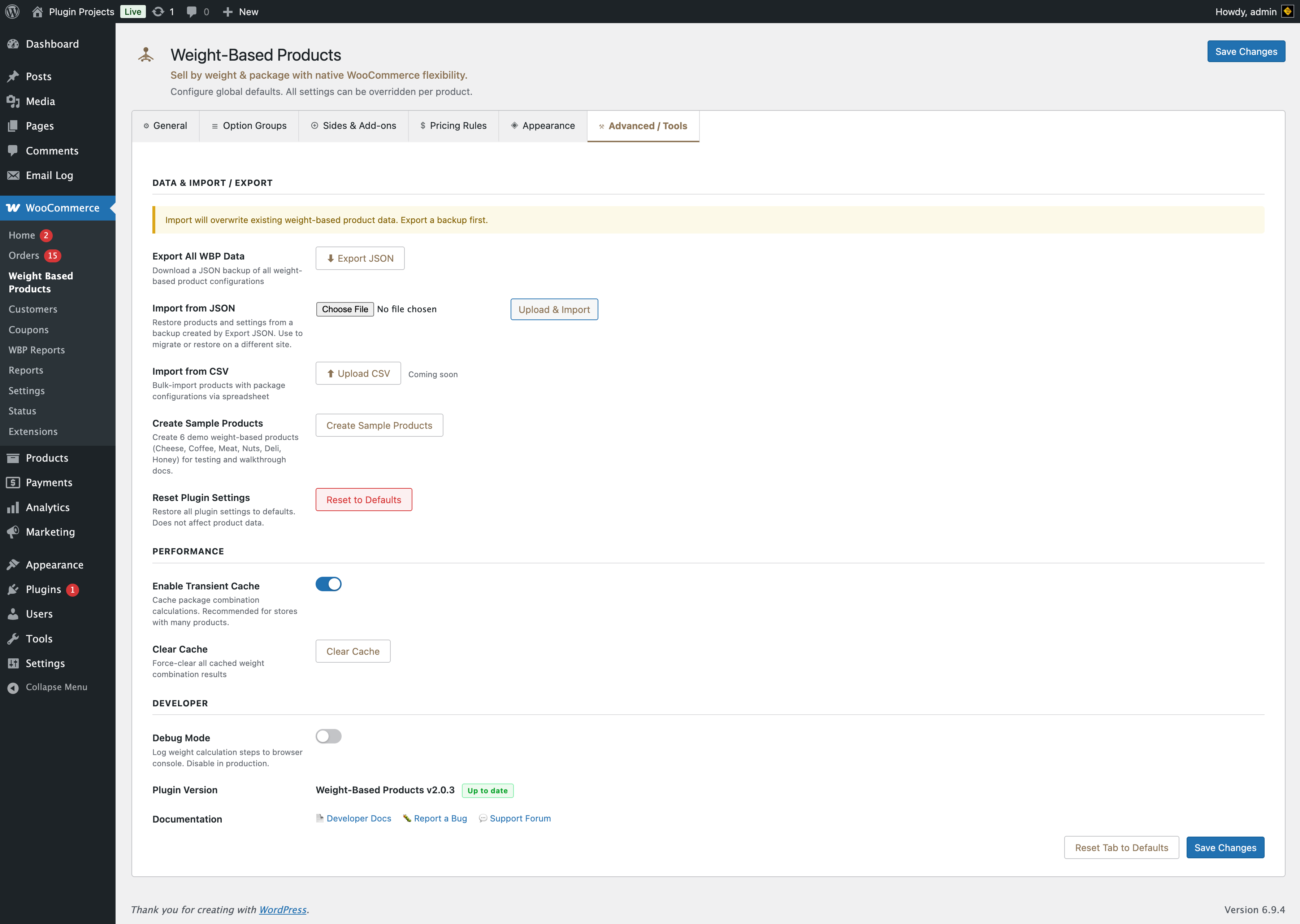
Data & import / export
Import will overwrite existing weight-based product data. Export a backup first.
Download a JSON backup of all weight-based product configurations. Use before importing or migrating.
Restore products and settings from a backup created by Export JSON. Use to migrate or restore on a different site. Choose file and click “Upload & Import”; you will be asked to confirm because import overwrites existing weight-based products and settings.
Bulk-import products with package configurations via spreadsheet. Coming soon.
Creates 6 demo weight-based products (Cheese, Coffee, Meat, Nuts, Deli, Honey) for testing and walkthrough docs. Existing products with the same slugs are skipped.
Restore all plugin settings to defaults. Does not affect product data. Requires confirmation.
Performance
Cache package combination calculations. Recommended for stores with many products.
Force-clear all cached weight combination results. Use after changing packages or if totals seem wrong.
Developer
Log weight calculation steps to the browser console. Disable in production.
Plugin version and links to Developer Docs, Report a Bug, and Support Forum are shown in this section.