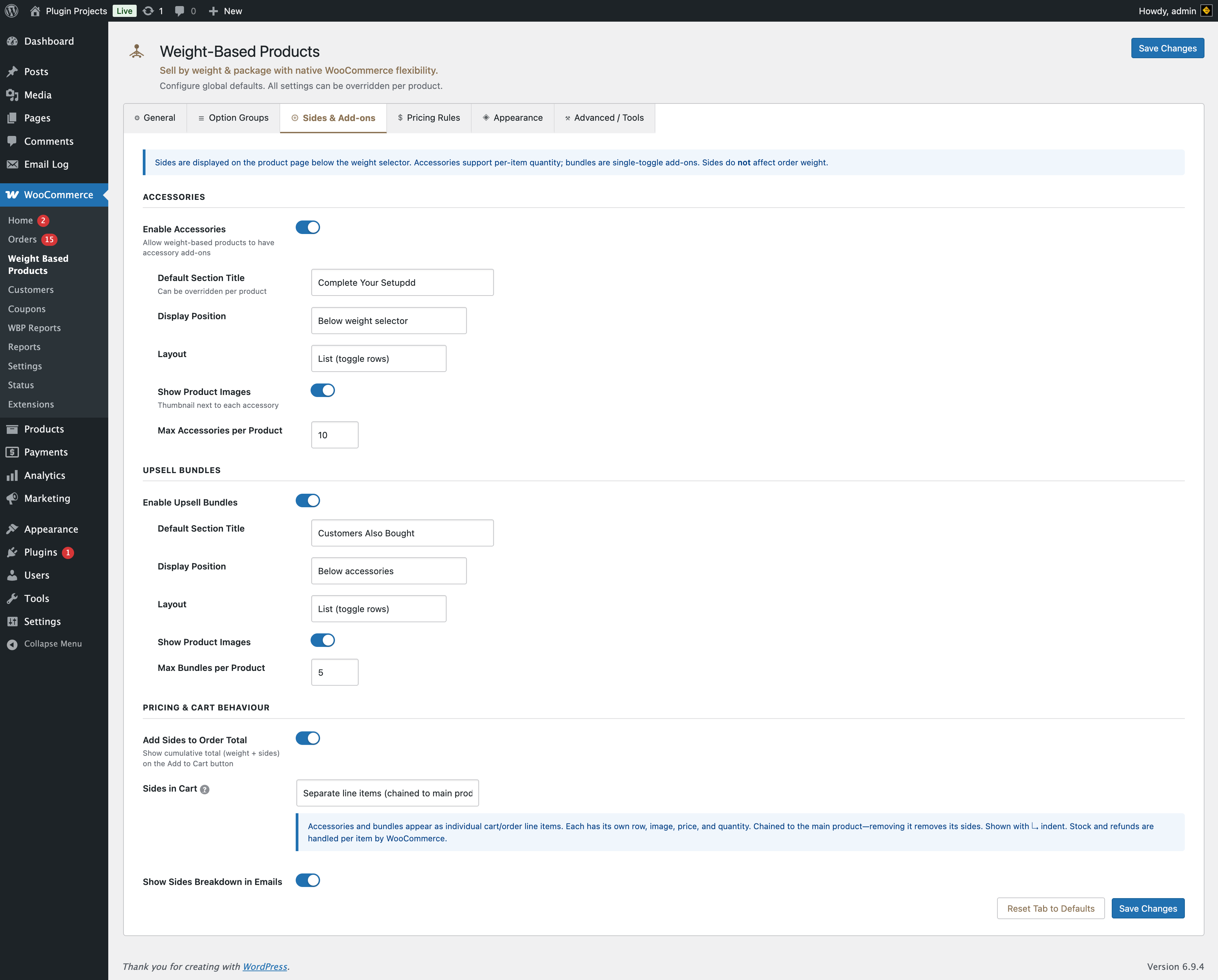
Sides are displayed on the product page below the weight selector. Accessories support per-item quantity; bundles are single-toggle add-ons. Sides do not affect order weight. Prices come from the linked product and can be overridden per product.
Accessories
Allow weight-based products to have accessory add-ons (e.g. a container, gift wrap).
- Default section title — e.g. “Complete Your Setup”. Overridable per product.
- Display position — Below weight selector, Below product options, or Directly above Add to Cart.
- Layout — List (toggle rows) or Grid (cards).
- Show product images — Thumbnail next to each accessory.
- Max accessories per product — Limit how many accessories can be added per product.
Upsell bundles
Show “Customers Also Bought”–style products; single toggle per item.
- Default section title — e.g. “Customers Also Bought”.
- Display position — Below accessories, Below product options, or Directly above Add to Cart.
- Layout — List (toggle rows) or Horizontal card scroll.
- Show product images — On or off.
- Max bundles per product — Limit number of bundle products shown.
Pricing & cart behaviour
Show the cumulative total (weight product + sides) on the Add to Cart button.
Separate line items (chained to main product) — Accessories and bundles appear as individual cart/order lines with their own row, image, price, quantity. Chained to the main product (removing the main product removes its sides). Stock and refunds are handled per item by WooCommerce.
Grouped under main product — Sides are stored on the main product and shown as one line (e.g. “Sides: 1 × Hat, 1 × Shirt”). No separate rows; only the main product’s package stock is managed; refunding the main product refunds the full line including sides.
Include sides in order confirmation and admin emails.