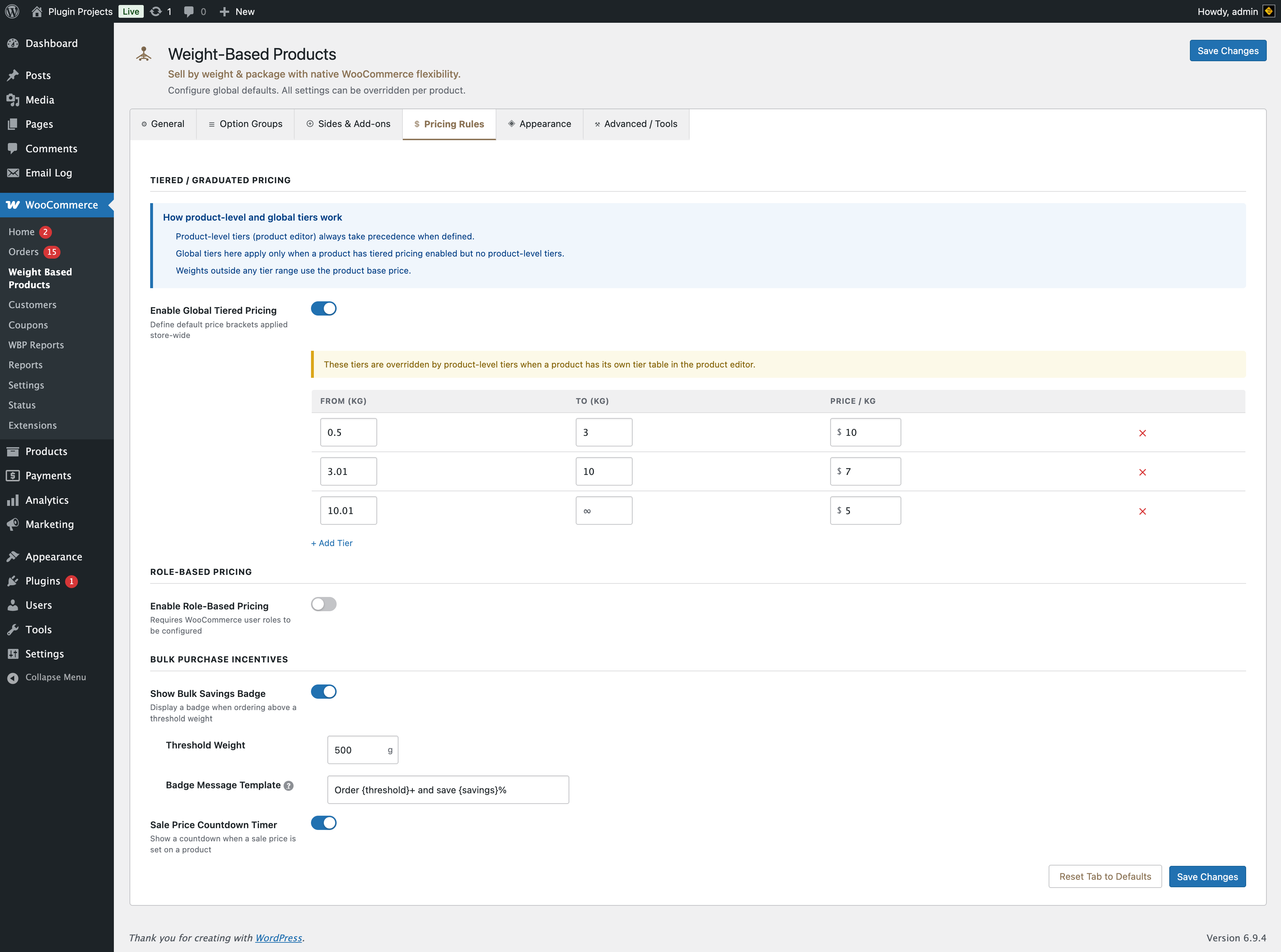
How product-level and global tiers work
- Product-level tiers (set in the product editor) always take precedence when defined.
- Global tiers here apply only when a product has tiered pricing enabled but no product-level tier table.
- Weights outside any tier range use the product’s base price.
Tiered / graduated pricing
Enable global tiered pricing
Define default price brackets applied store-wide. Each tier has: From (weight), To (weight), Price per unit. Use “Add Tier” to add rows. Empty “To” can represent no upper limit. These tiers are overridden by product-level tiers when a product has its own tier table in the product editor.
Role-based pricing
Enable role-based pricing
Requires WooCommerce user roles to be configured. Prices set here are the default and can be overridden per product in the product editor.
Bulk purchase incentives
Show bulk savings badge
Display a badge when the customer orders above a threshold weight.
- Threshold weight — In grams (e.g. 500 g). Badge appears when order weight is at or above this.
- Badge message template — Use
{threshold}and{savings}as placeholders. Example: “Order {threshold}+ and save {savings}%”.
Sale price countdown timer
Show a countdown when a sale price is set on a product.