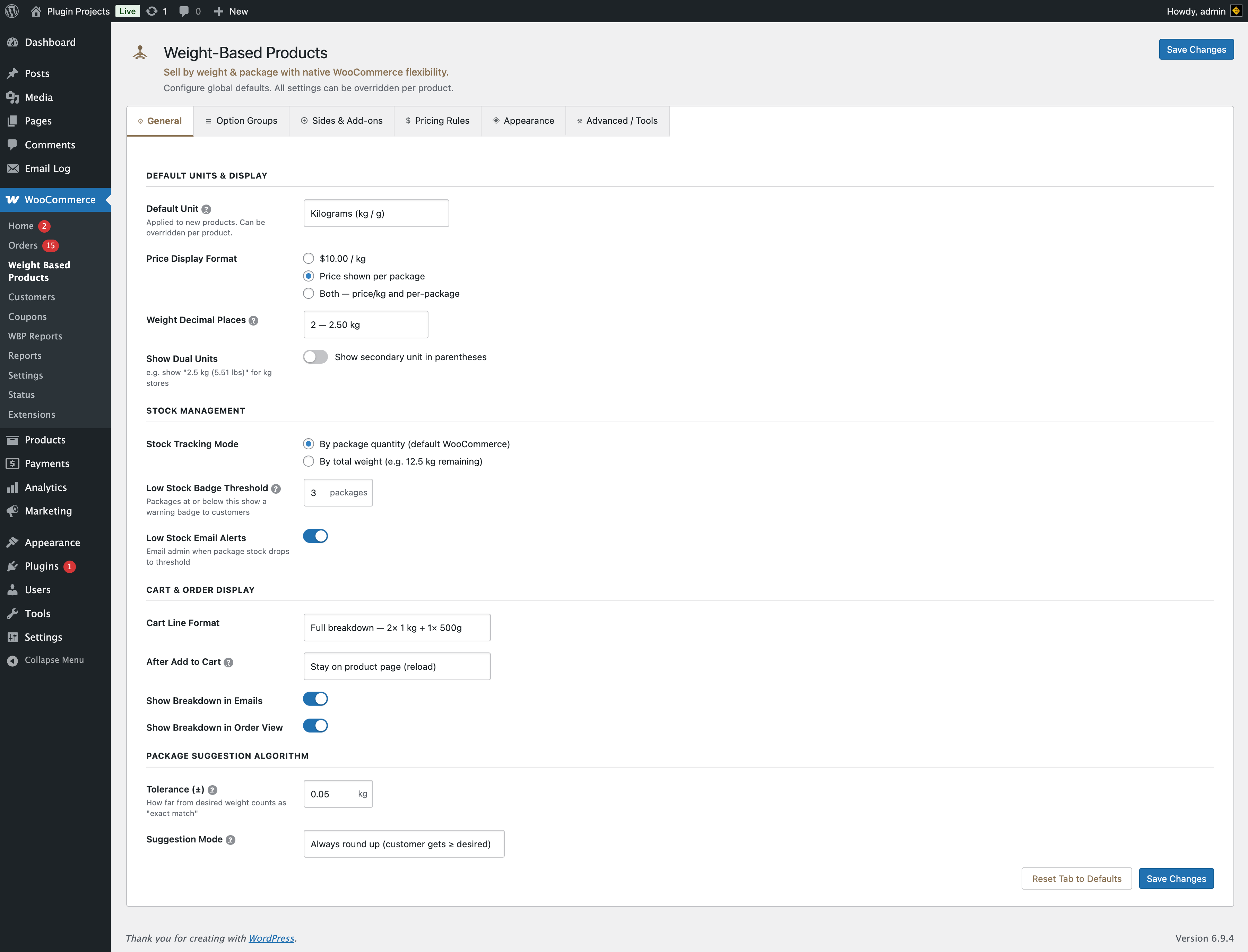
Default units & display
Applied to new products. Can be overridden per product in the product editor.
Options: Kilograms (kg / g), Pounds (lb / oz). All prices and weights use this unit. There is no automatic conversion when you change the unit later.
How the price is shown on the frontend: per unit (e.g. $10.00 / kg) or both (per-package total and the per-unit rate). Legacy “per package only” values are migrated to “both”.
Number of decimal places for weight display (0–4). Example: 3 gives 2.500 kg.
When enabled, shows the secondary unit in parentheses (e.g. 2.5 kg (5.51 lbs) for kg stores).
Stock management
By package quantity — Default WooCommerce behaviour; stock is tracked per package. By total weight — Stock shown as remaining weight (e.g. 12.5 kg remaining).
Packages at or below this number show a warning badge to customers. Set to 0 to disable badges.
When enabled, the admin receives an email when package stock drops to the threshold.
Cart & order display
Full breakdown — e.g. 2× 1 kg + 1× 500g. Weight only — e.g. 2.5 kg total. Compact — e.g. 3 packages (2.5 kg).
Use WooCommerce setting, redirect to cart, or stay on product page (reload).
Include detailed weight/package breakdown in order emails and in the admin order view.
Package suggestion algorithm
Used when a customer enters a desired weight and the system suggests package combinations.
How far from the desired weight still counts as an “exact match” (in your store unit). E.g. 0.05 means ±0.05 kg (or ±50 g) is accepted as exact.
Always round up — Customer gets ≥ desired weight. Always round down — Customer gets ≤ desired. Closest match — Either direction.
Upper limit on the total number of pack lines when the customer uses Or enter desired weight or preset chips in Fixed Packs mode (the browser runs a combination search). Default 25; allowed range 1–500. Increase if your catalog has many small packs and you need combinations that use more than 25 lines total.
Option key: lf_wbpw_combo_max_items. Passed to the storefront script as combo_max_items.