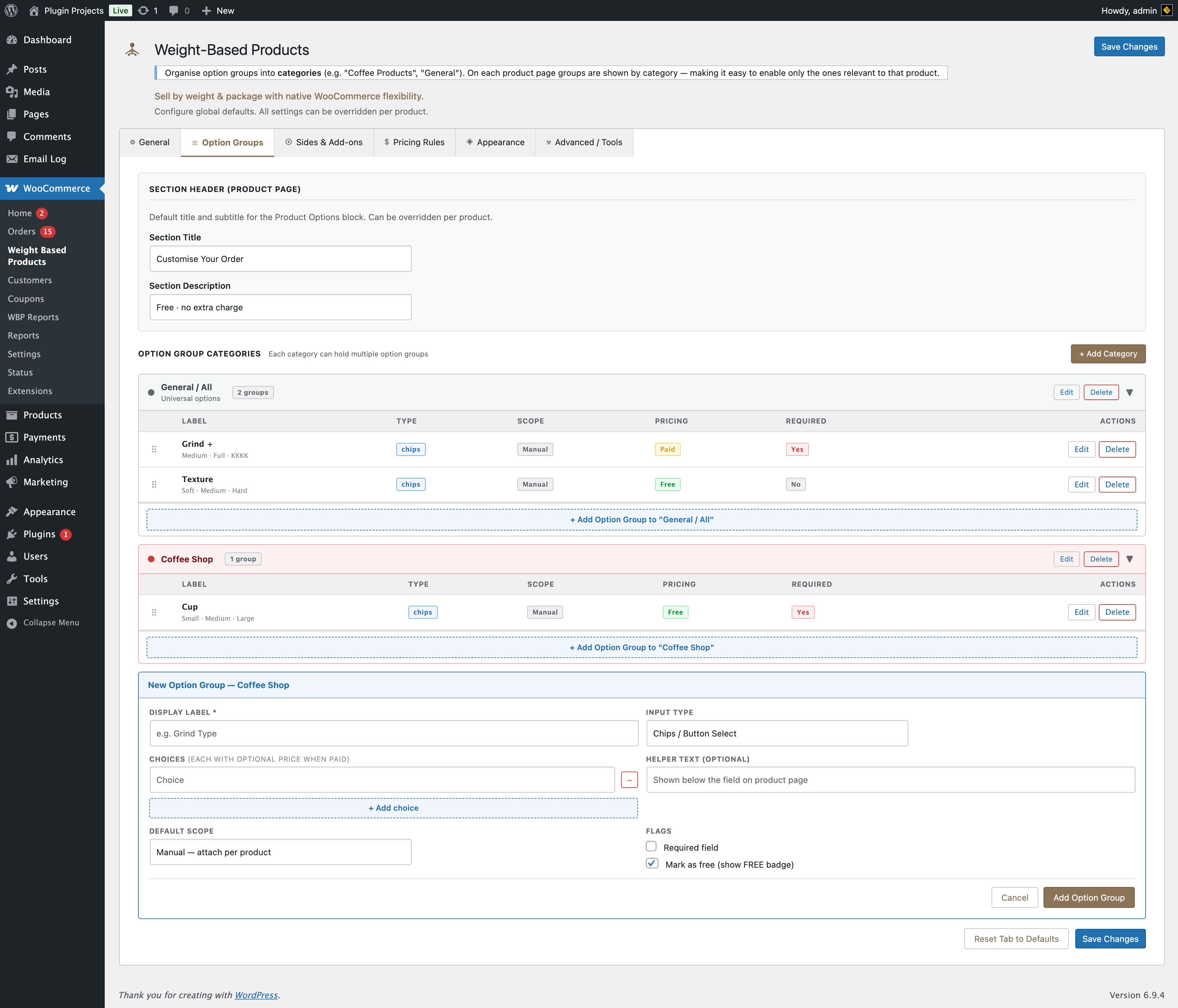
Option groups are defined globally in WBP Settings → Option Groups. On this tab you toggle which groups apply to this product and optionally override the section title, description, or group labels/choices for this product only.
Section header
Override the title and description shown for the “Product options” block on the product page. Leave empty to use the global defaults from Settings → Option Groups.
- Section title — e.g. “Customise Your Order”.
- Section description — e.g. “Free · no extra charge”.
Option groups by category
Groups are listed by category (e.g. General / All, Coffee Shop). For each group you can enable or disable it for this product and, depending on the UI, override label or choices. Use the link “Manage global option groups in WBP Settings” to add or edit categories and groups.