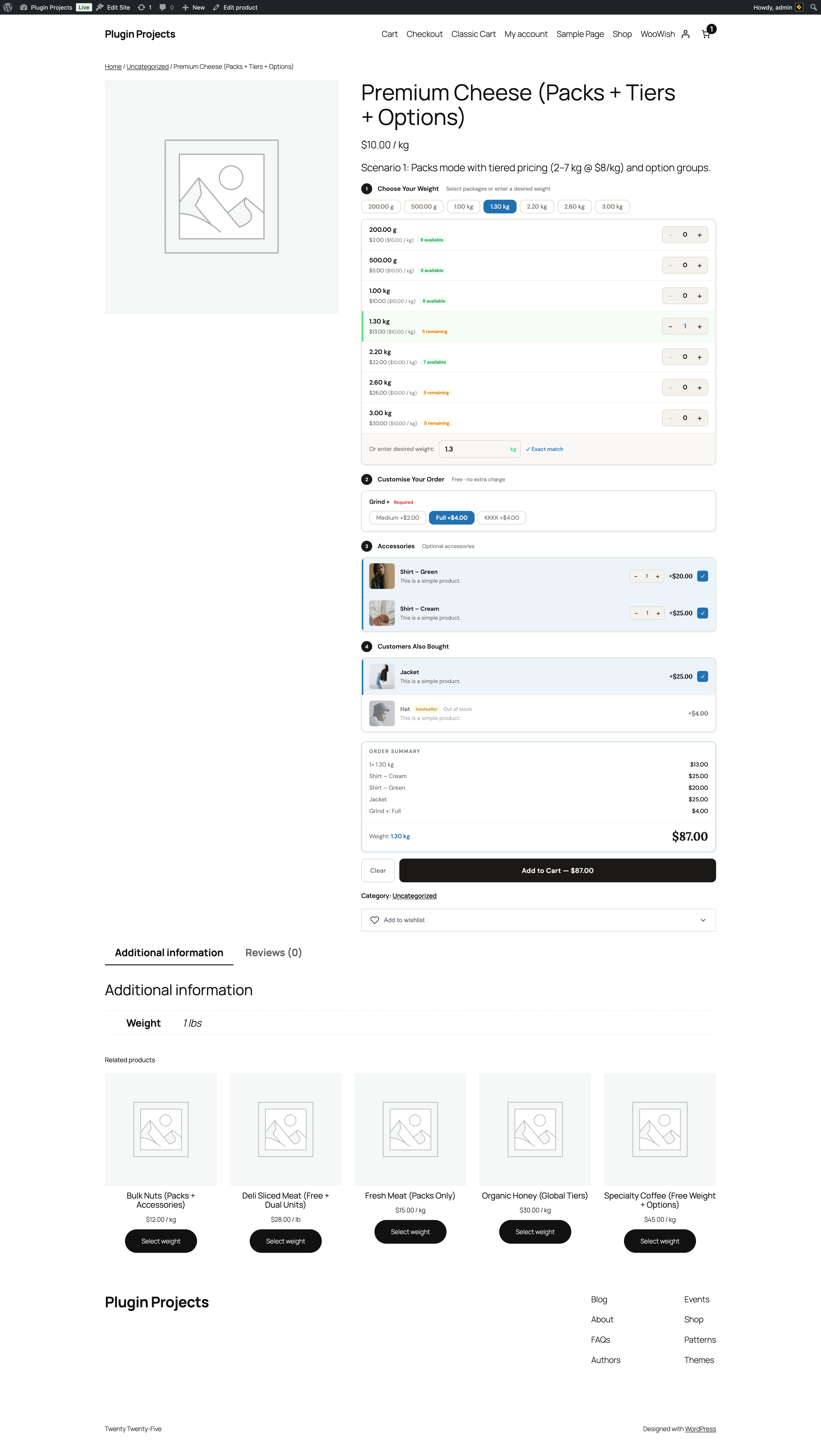
Product and price
Title and base price per unit (e.g. $10.00/kg). A scenario line may describe the setup (e.g. “Packs mode with tiered pricing (2–7 kg $8/kg) and option groups”).
Choose your weight
Predefined pack sizes (e.g. 200 g, 500 g, 1 kg, 1.2 kg, 2.5 kg, 3 kg) with availability and quantity steppers. If “Allow customer to type a weight” is enabled, a “Choose desired weight” input and unit selector with a recalc/confirm control appear. Stock badges (e.g. “Only 1 left!”, “Out of stock”) come from the product’s package stock and low-stock threshold.
Customise your order
Option groups (from Product Options) appear here—e.g. Grind (Fine, Coarse) or Texture (Soft, Medium, Hard). Choices can be free or have a price. Required groups must be completed before add to cart.
Accessories and Customers Also Bought
Accessories list with quantity and price (or “Free”). “Customers Also Bought” shows upsell bundle products. Both can show thumbnails and prices; layout depends on Settings → Sides & Add-ons.
Order summary and Add to Cart
A summary lists selected weight (or packages), options, and sides with their prices. Total weight and total price update live. The Add to Cart button shows the total (e.g. “Add to Cart – $87.00”). If “Add sides to order total” is on, the button includes the cumulative total (weight product + sides).