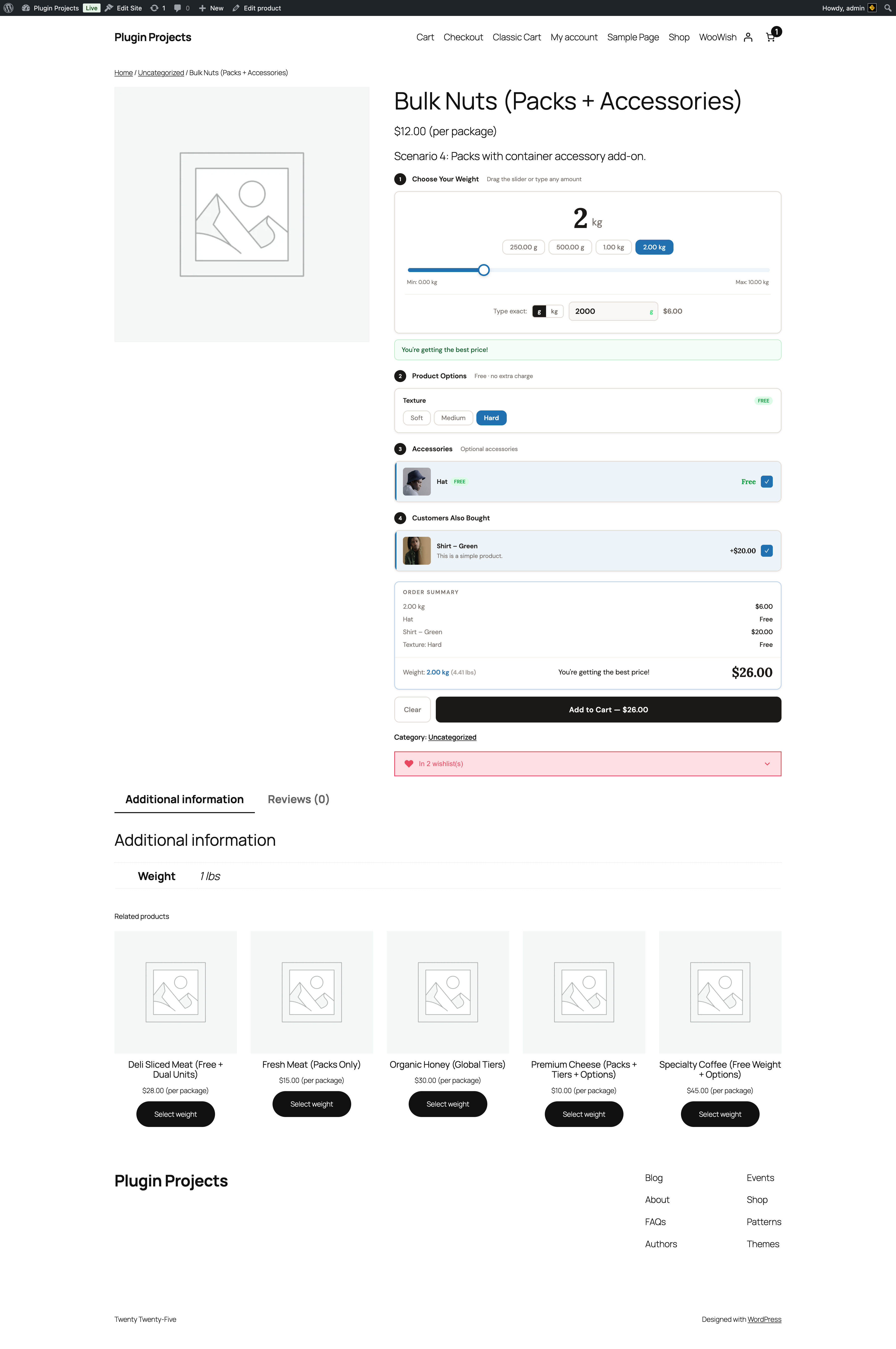
Choose your weight
Step “1 Choose Your Weight” shows the current weight (e.g. 2 kg), quick-select presets (e.g. 200 g, 500 g, 2 kg), and a slider between min and max. If “Allow customer to type a weight” is enabled, a “Type exact” field and unit selector allow precise entry; price updates accordingly. “You’re getting the best price!” (or similar) can appear when tiered pricing favours the selected weight. Min/Max labels come from the product’s Free Weight settings.
Product options, accessories, bundles
Same as pack weight: option groups (e.g. Texture: Soft, Medium, Hard), accessories with quantity and price, and “Customers Also Bought” bundles. Dual unit (e.g. “2.00 kg (4.41 lb)”) is shown if enabled.
Order summary
Itemised list (weight, options, accessories) with total weight (and optional dual unit), total price, Clear button, and Add to Cart with the calculated total.