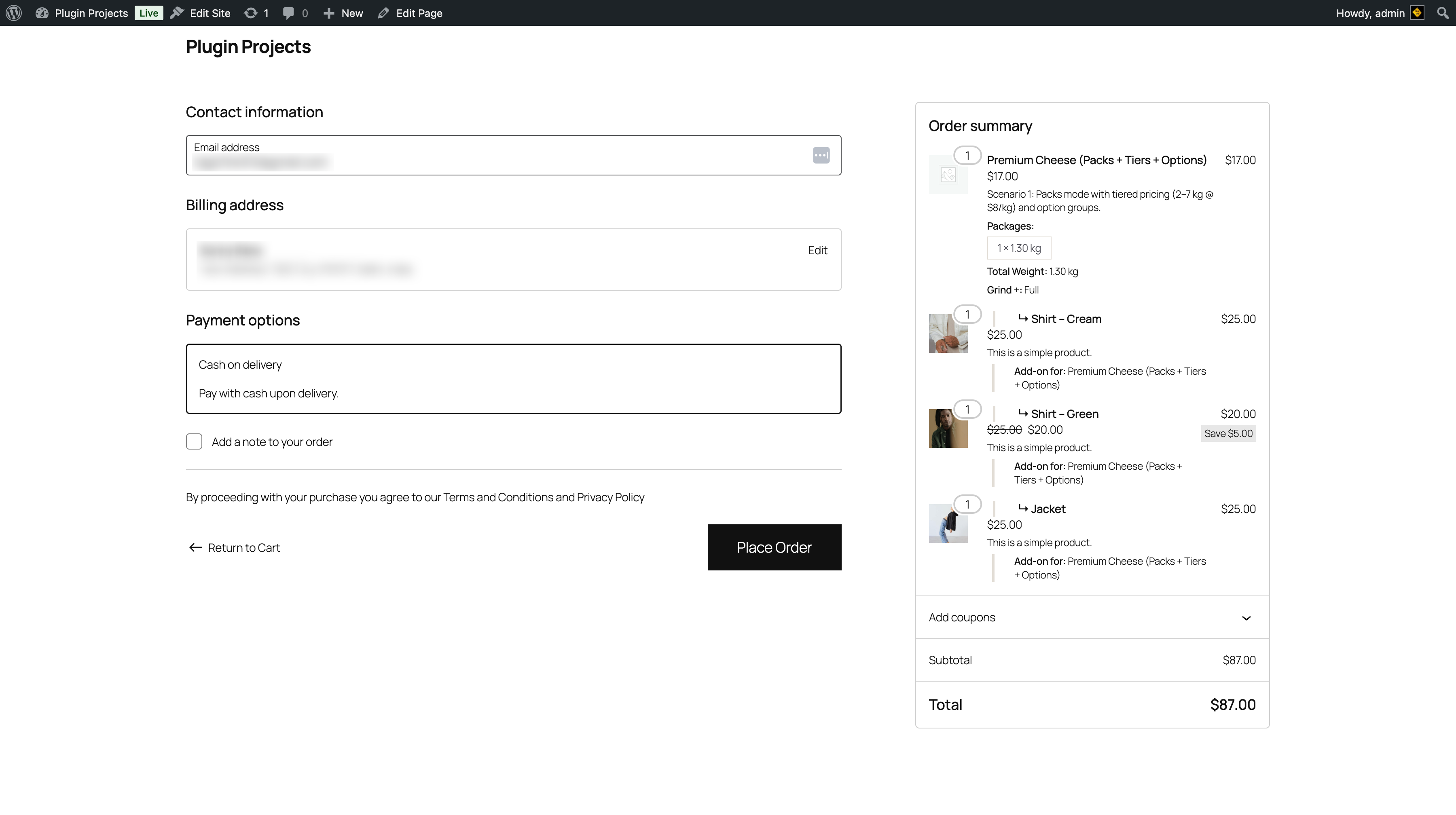
Order summary
The right column (or equivalent) shows the order summary. The weight-based product appears with:
- Product name (e.g. “Premium Cheese (Packs + Tiers + Options)”).
- Quantity (e.g. 1).
- Price (e.g. $17.00).
- Scenario/description (e.g. “Packs mode with tiered pricing (2–7 kg @ $8/kg) and option groups”).
- Packages — e.g. “1 × 1.30 kg”.
- Total weight — e.g. “1.30 kg”.
- Selected options — e.g. “Grind: Full”.
Add-ons in order summary
Each add-on (Shirt, Jacket, etc.) is listed with quantity, price, and “Add-on for: [main product name]”. Discounts (e.g. “Save $5.00”) are shown when applicable. Subtotal and total reflect the full order including weight-based product and sides.
Place order
Contact and billing fields, payment options, and “Place Order” work as in standard WooCommerce. Emails and admin order view can include the full breakdown (packages, weight, options, sides) when enabled in Settings → General (Show breakdown in emails / order view) and Sides & Add-ons (Show sides breakdown in emails).